
The Minecraft Wiki: Everything You Need to Know
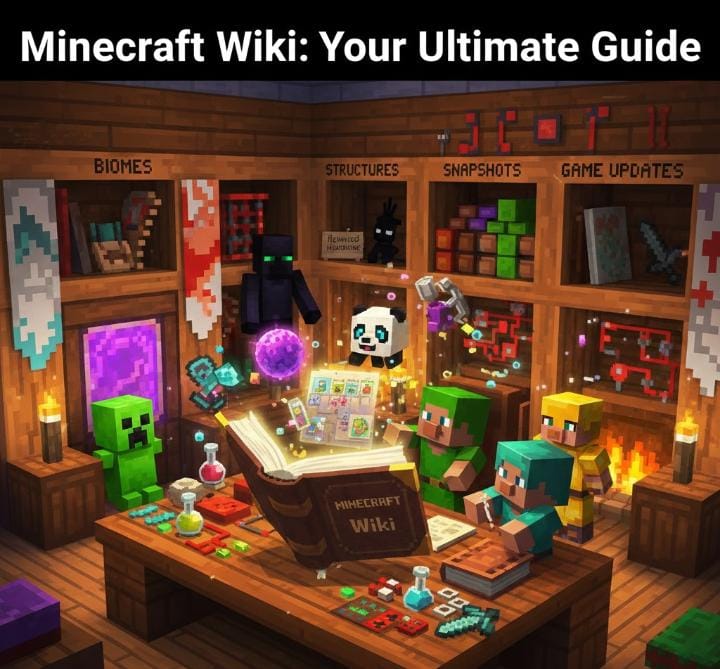
If you’ve ever forgotten a crafting recipe mid-build, or wondered why Endermen hate water, you’ve probably landed on the Minecraft Wiki before. And if you haven’t — you really should.
It’s one of the best free resources for any Minecraft player. Beginner or veteran, casual builder or hardcore speedrunner — the Wiki has something useful for everyone.
What Is the Minecraft Wiki?
The Minecraft Wiki is a community-run encyclopedia covering everything in the game. Every block, item, mob, biome, and mechanic is documented there in real detail.
Contributors update it constantly — especially when new game updates or Java Edition snapshots drop. So when Mojang releases something new, the Wiki usually catches up within hours.
It covers Java Edition, Bedrock Edition, and even older console versions like the PS3 and Xbox 360 editions. Yes, the legacy stuff is in there too.
The active, up-to-date version now lives at minecraft.wiki — not the old Fandom site, which stopped being maintained after the community moved on.
What Can You Find on It?
Pretty much everything. Here’s a quick breakdown of the main sections:
Blocks and Items — Full crafting recipes, where things spawn, and what they do. From basic wood planks to rare finds like the Dragon Egg.
Mobs — Every creature in the game. Behavior, spawn conditions, drop rates, and quirks. Wolves, Pandas, Piglins, Creepers, Endermen — all covered.
Biomes — What generates where, what mobs live there, and what structures you can find. Super useful when you’re hunting for something specific.
Redstone — Circuits, pistons, observers, comparators. Beginners can learn the basics. Experienced builders can find exact tick timing for complex builds.
Structures — Ancient city, ocean monuments, bastions, strongholds. The Wiki breaks down layouts, loot tables, and generation rules.
Mobs Worth Looking Up
You probably think you know the common mobs already. But the Wiki has a way of surprising you.
Endermen can pick up blocks — but not just any block. There’s a specific list of which ones they can grab, and it’s not random. Their sounds are also reversed human voices. Creepy detail, fully documented.
Creepers were literally a mistake. Notch accidentally swapped the height and length values when modeling a pig. The result was the tall, legless shape we all know. That bug became one of gaming’s most iconic enemies.
Piglins won’t attack you if you’re wearing at least one piece of gold armor. They barter with gold ingots and zombify when they enter the Overworld. The Wiki lists every possible barter item with drop chances included.
Pandas have personality types — lazy, worried, playful, or aggressive. These actually affect how they behave in the world. Most players don’t know this until the Wiki tells them.
Shepherd villagers trade wool, dyes, beds, and paintings. If you’re building a server economy or a roleplay world, their full trade table is documented by experience level.
The Dragon Egg — The Wiki’s Most Interesting Page
Only one Dragon Egg spawns per world. It sits on top of the End fountain after you defeat the Ender Dragon. And you can’t just mine it — right-clicking makes it teleport.
To actually collect it, you need a torch-and-gravel trick, a piston setup, or a few other methods the Wiki explains clearly. It doesn’t craft anything. It has no real in-game purpose. But players have treated it as the ultimate trophy item for over a decade.
The Wiki documents every collection method, its teleport range, and its long history of developer teasing. It’s a fun read even if you’ve already got one sitting in your base.
Snapshots and Game Updates
Java Edition snapshots — Mojang’s weekly experimental builds — get documented on the Wiki almost immediately after release. New blocks, changed mob behavior, tweaked mechanics — it’s all logged fast.
This makes the Wiki a great place to track what’s changing before a full update even drops. If you like staying ahead of the game, the snapshot pages are worth checking regularly.
The Wiki also has solid edition comparison content. Java Edition and Bedrock Edition differ more than most people realize. Mob behaviors, available features, and some mechanics vary between the two. If something feels off after switching platforms, the Wiki will explain exactly why.
Easter Eggs Worth Reading About
The Wiki has a dedicated easter egg page and it’s genuinely fun to browse. A few highlights:
Every major update’s patch notes include “Removed Herobrine” — a running joke that’s appeared since 2010. The Wiki has logged every single instance. There are dozens of them.
The main menu panorama — that rotating world on the title screen — was generated from a real seed at specific coordinates. You can visit it yourself. The Wiki has the details.
Endermen’s visual design is widely seen as a nod to the Slenderman — tall, dark, long-armed, faceless. The Wiki doesn’t confirm intent, but the parallel is hard to miss.
For Speedrunners
The Wiki is practically required reading if you’re into speedrunning.
Stronghold generation rules tell you how many spawn per world and roughly how far from spawn to expect them. Blaze drop rates and Piglin barter percentages are documented with exact numbers — useful for calculating how much gold to farm before routing through the Nether.
Java and Bedrock runs are separate categories for good reason. The games behave differently in ways that directly affect routing. The Wiki’s edition-specific notes make those differences clear.
For Modders
Modders use the Wiki to understand how vanilla mechanics work before changing them. Block state pages, item data values, and version history logs are all useful references.
The data pack section covers function files, loot table formatting, and advancement JSON structure — helpful for players doing lightweight modifications without full mod frameworks.
Version history pages also help modders track exactly when a mechanic changed, which saves a lot of time when maintaining compatibility across updates.
For Server Admins
The server.properties page is one of the most practical pages on the whole Wiki. Every configurable option is listed — difficulty, view distance, spawn protection, PvP toggles, and more.
Game rule documentation is equally useful. Commands like keepInventory, mobGriefing, and doDaylightCycle are explained with default values and behavioral effects. Clear and easy to reference when setting up a new server.
Make It a Regular Stop
New player or longtime fan, builder or redstone engineer, modder or server admin — bookmark it, search it freely, and click on pages that look interesting even when you don’t need them right away. You’ll almost always find something you didn’t know before.
Minecraft rewards curiosity. So does its Wiki.