Everything You Want to Know About the Minecraft Loom (Yes, Including the Fruit Thing)
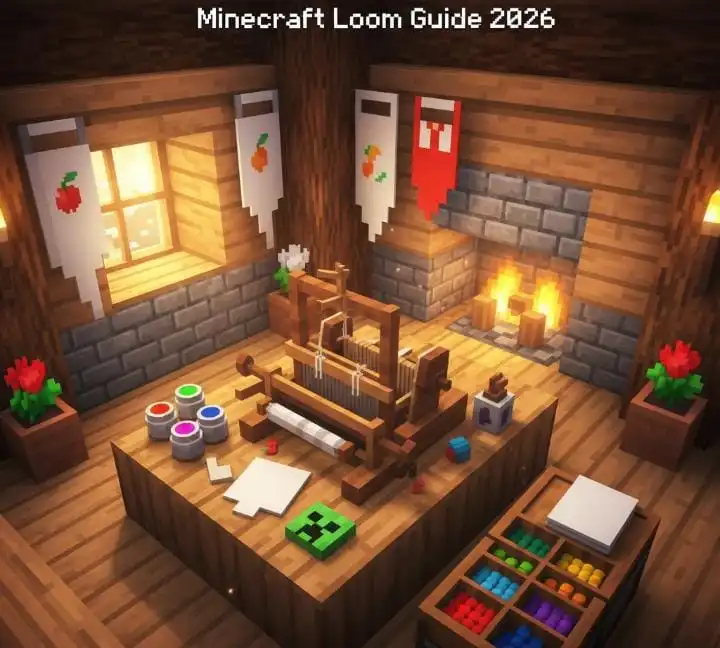
If you’ve spent any decent amount of time on Minecraft servers or scrolled through build showcases online, you’ve probably seen some wild banner designs and thought — how? The answer is the Minecraft Loom. It’s one of those blocks that doesn’t get nearly enough attention, especially from newer players.
And yeah, we’re also going to talk about the whole “Fruit of the Loom Minecraft” thing. Because if you’ve searched for loom stuff and stumbled across that phrase, you’re not alone. More on that in a bit.
So What Is the Loom in Minecraft?
The loom in Minecraft is a crafting block specifically made for designing banners. Think of it like a mini design studio built right into the game. You throw in a banner, a dye, and sometimes a special pattern item — and then you get to scroll through a bunch of pattern options and preview them before committing.
It replaced the old method of making banner patterns at a crafting table, which was honestly kind of a nightmare. The loom made the whole process visual and intuitive. Way better.
It also serves as a job site block for Shepherd villagers, which is handy if you’re running a villager trading hall.
Crafting the Loom — It’s Easier Than You Think
Here’s what you need:
- 2 String
- 2 Wooden Planks (any wood type)
Place them in your crafting table like this:
[ String ] [ String ]
[ Plank  ] [ Plank  ]
That’s it. No blaze rods, no rare drops, nothing fancy. String is easy to get from spiders, and you’ve almost certainly got planks already. I usually have a loom set up before my first in-game week is even over.
How to Use It
Open the loom and you’ll see three input slots plus a big scrollable pattern menu on the right side.
- Slot one — your banner
- Slot two — a dye color
- Slot three — an optional pattern item (like a Creeper Head or Wither Skeleton Skull for special designs)
Pick a pattern from the list, watch the preview update instantly, and pull your finished banner from the output slot. It’s genuinely satisfying to use.
The real magic happens when you layer patterns. Take your banner out after one pattern, put it back in, add a different dye, pick another pattern. You can stack up to six layers. That’s how players make those insanely detailed flags and emblems you see in big builds.
Wait — What’s the “Fruit of the Loom Minecraft” Thing?
Here’s the deal — there’s no official Fruit of the Loom crossover or branded content in Minecraft. What people are usually referring to is either fan-made banner designs that recreate fruit patterns (grapes, apples, leaves — stuff that looks like the classic logo), or just a running joke in the Minecraft community about how the loom block sounds weirdly formal compared to everything else in the game.
Some players have gotten genuinely creative with it though. Making grape clusters or leaf patterns using layered banner designs on the Minecraft loom is actually totally doable if you’re patient enough. I’ve seen some impressive recreations.
So when someone says minecraft fruit of the loom, they’re almost definitely talking about a banner design challenge or a community joke, not an actual game feature. Just so you know.
What About the Loom Box in Minecraft?
Another phrase that pops up — loom box Minecraft. This one’s a bit more straightforward. Some players use the term “loom box” to describe a dedicated crafting room or corner in their base specifically set up around the loom, usually with storage for dyes, blank banners, and pattern items all nearby.
It’s not an official Minecraft term, but honestly it’s a great idea. If you’re serious about banner design, having a dedicated loom box setup makes the whole process so much smoother. I’ve got a little room in my survival base with a loom, a bunch of dye chests sorted by color, and a display wall of designs I’ve made. It’s become one of my favorite spots in my whole world.
Cool Things You Can Actually Do With the Loom
Let me give you some ideas if you’re not sure where to start.
Make faction flags. If you’re on a server with friends, design a unique banner for your group. Mine is a dark red base with a black diagonal stripe and a small white skull in the corner. Very intimidating. Very us.
Decorate your base entrance. Hanging matching banners on either side of your front door instantly makes a build feel more intentional and polished.
Build a market or town. Different banners on different stalls make a player-made village feel alive. Give each shop its own “sign” made from a banner.
Put your banner on your shield. Craft a shield and a banner together at a regular crafting table and your shield inherits the design. It’s mostly cosmetic but it looks so good.
Copy banners. You can duplicate a banner design by placing a finished banner and a blank banner in the loom together. Perfect for making a row of matching flags down a hallway or castle wall.
My Personal Favorite Designs
I’m a big fan of the gradient patterns. Dark blue banner, light blue dye, base gradient pattern — it looks like a night sky and works for almost any build style. That’s my go-to when I just want something that looks clean without too much effort.
For something more dramatic, I do a black banner with a white Skull Charge pattern layered over a red gradient. It’s a little aggressive looking but honestly perfect for a nether base or a dark fantasy castle build.
If you want something that feels almost like minecraft fruit on the loom type creativity — like genuinely artsy and detailed — try layering a flower charge on a green background with a yellow dye. It actually ends up looking like a sunflower or a little nature emblem. Took me a few tries to nail it but the result was worth it.
A Few Tips Worth Knowing
Don’t skip the preview window. Seriously, scroll through all the patterns before settling. There are some hidden gems in that list that most players never find because they stop at the first thing that looks okay.
Dye color changes everything. The same pattern in red versus purple versus lime green can look completely different. Experiment freely.
Six layers goes fast. Plan your design roughly before you start layering or you might use up slots on patterns that get covered anyway.
Wool color matters too. The base banner color (which comes from the wool you use to craft it) is your foundation. Sometimes swapping from white wool to black wool completely transforms how a design reads.
Go Make Something Cool
The loom in Minecraft is one of those features that rewards creativity in a really satisfying way. Whether you’re recreating something like the classic fruit of the loom look as a fun banner challenge, building a dedicated loom box in your base, or just finally figuring out how the whole system works — there’s a lot of fun to be had here.
Start with something simple. One pattern, one dye, see what you get. Then layer it. Then hang it up somewhere in your world and actually appreciate it for a second.
Your builds deserve personality. The Minecraft loom is one of the easiest ways to add it. Go have fun with it.