
Best Minecraft Mods You Should Try in 2026 (Top Picks for Java, Bedrock & PE)
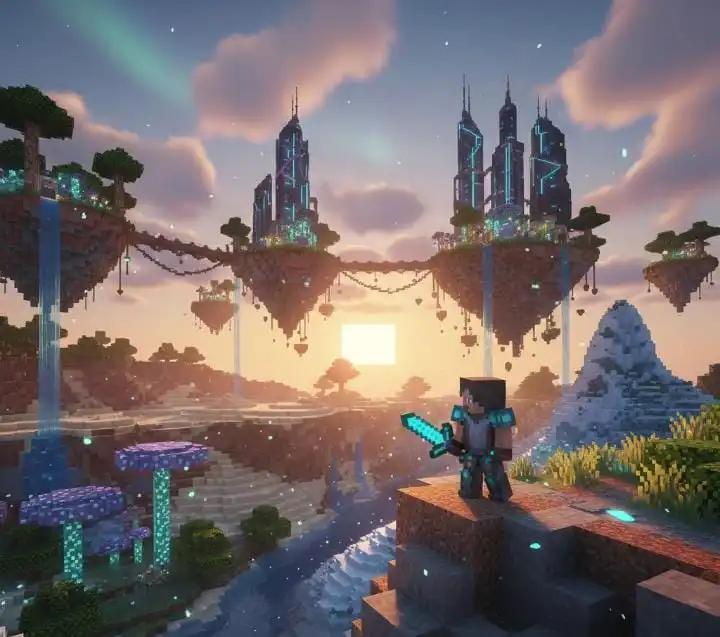
Minecraft is one of the most popular sandbox games in the world, and one of the biggest reasons behind its success is its powerful modding community. Mods allow players to change gameplay, add new features, improve graphics, and explore completely new worlds.
Whether you are a beginner or an advanced player, using the right mods can transform your Minecraft experience. In this guide, we will explore the best Minecraft mods, what they do, and how they can make your gameplay more fun, creative, and efficient.
Why Use Mods?
Explore new worlds and biomes
Improve graphics and performance
Build faster and smarter
Add new creatures, tools, and mechanics
Make survival mode easier and more enjoyable
With the right combination of mods, Minecraft feels like a completely new game every time you play.
Top Minecraft Mods You Must Try
JourneyMap Mod
JourneyMap is one of the most useful mods for exploration. It adds a real-time map that shows your location, nearby structures, and past death points.
Best for: Exploration, survival, and large worlds
Key features:
Live minimap
Waypoints
Death location tracking
OptiFine Mod
OptiFine is a performance and graphics enhancement mod. It improves FPS, reduces lag, and allows you to use shaders and HD textures.
Best for: Low-end PCs and graphic lovers
Key features:
Better performance
Shader support
Custom animations and lighting
Pixelmon Mod
Pixelmon adds the Pokémon universe into Minecraft. You can catch Pokémon, battle trainers, trade with players, and explore Pokémon-themed worlds.
Best for: Pokémon fans
Key features:
Hundreds of Pokémon
Pokédex system
Biomes O’ Plenty
This mod adds dozens of new biomes, making your Minecraft world more beautiful and diverse.
Best for: Exploration and building
Key features:
New forests, deserts, swamps, and fantasy biomes
Unique plants, trees, and blocks
More natural and immersive worlds
Chisel Mod
Chisel is perfect for builders who love decoration. It adds hundreds of new block designs using a simple tool called a chisel.
Best for: Builders and designers
Key features:
Decorative blocks
Multiple textures for one block
Creative building options
WorldEdit Mod
WorldEdit allows you to build massive structures quickly using commands like copy, paste, and fill.
Best for: Creative mode, SMP servers, large builds
Key features:
Copy/paste builds
Fast terrain editing
Massive structure creation
Aether Mod
Aether adds a new sky dimension filled with floating islands, new mobs, dungeons, and treasures.
Best for: Adventure lovers
Key features:
New dimension
Flying creatures
Unique weapons and tools
BuildCraft Mod
BuildCraft adds machines, pipes, engines, and automation tools that make mining and resource processing easier.
Best for: Automation and technical gameplay
Key features:
Quarries
Pipes and engines
Automatic resource collection
Mouse Tweaks Mod
Mouse Tweaks improves inventory management by allowing faster item movement and crafting.
Best for: Everyday gameplay
Key features:
Faster item dragging
Easier crafting
Smoother inventory use
Advantages of Using Mods
Save time in building and crafting
Improve survival chances
Unlock new worlds and adventures
Add endless creativity and replay value
Make the game smoother and more enjoyable
Mods allow you to play Minecraft exactly the way you want.
Is It Safe to Use Mods?
Yes, Minecraft mods are safe if:
You download them from trusted websites
You avoid unknown or suspicious files
Always scan files and read user reviews before installing any mod.
Conclusion
Minecraft mods make the game more exciting, creative, and powerful. Whether you want better graphics, faster building, new dimensions, or Pokémon adventures, there is a mod for everything.
By using mods like OptiFine, Biomes O’ Plenty, WorldEdit, and Pixelmon, you can take your Minecraft experience to the next level. If you want unlimited creativity and fun, mods are the best way to enhance your gameplay.